If you’re building agent flows in Flowise and suddenly hit this error, you’re not alone:
Error in Agent node: Cannot read properties of undefined (reading 'message')
I spent way too much time debugging this one, so here’s what’s actually happening and how to fix it.
What’s Going On?
This error pops up when your Agent node is trying to access a message that doesn’t exist or isn’t properly formatted. It’s basically saying “Hey, I’m looking for a message, but I can’t find it!”
The most common cause? Your data isn’t flowing properly between nodes, especially from your Start node to your Agent node.
The Real Culprit
After digging through logs and testing different configurations, here’s what I found:
Your Agent node isn’t getting the input message it expects.
In most cases, this happens because:
- The
agentUserMessagefield is empty or not configured - The connection between Start and Agent nodes isn’t passing data correctly
- The message format doesn’t match what the Agent expects
The Fix That Actually Works
Here’s the step-by-step solution:
Step 1: Check Your Agent’s Input Message
Open your Agent node and look for the “Input Message” field (this is agentUserMessage in the config). If it’s empty, that’s your problem.
Set it to:
{{ startAgentflow_0 }}
This tells the Agent node to grab the input from your Start node.
Step 2: Verify Your System Message
Make sure your Agent has a proper system message. Something simple like:
You are a helpful assistant.
Don’t leave this empty – it causes weird issues.
Step 3: Test Without Complex Features First
If you’re using document stores, tools, or other advanced features, temporarily remove them. Get the basic flow working first:
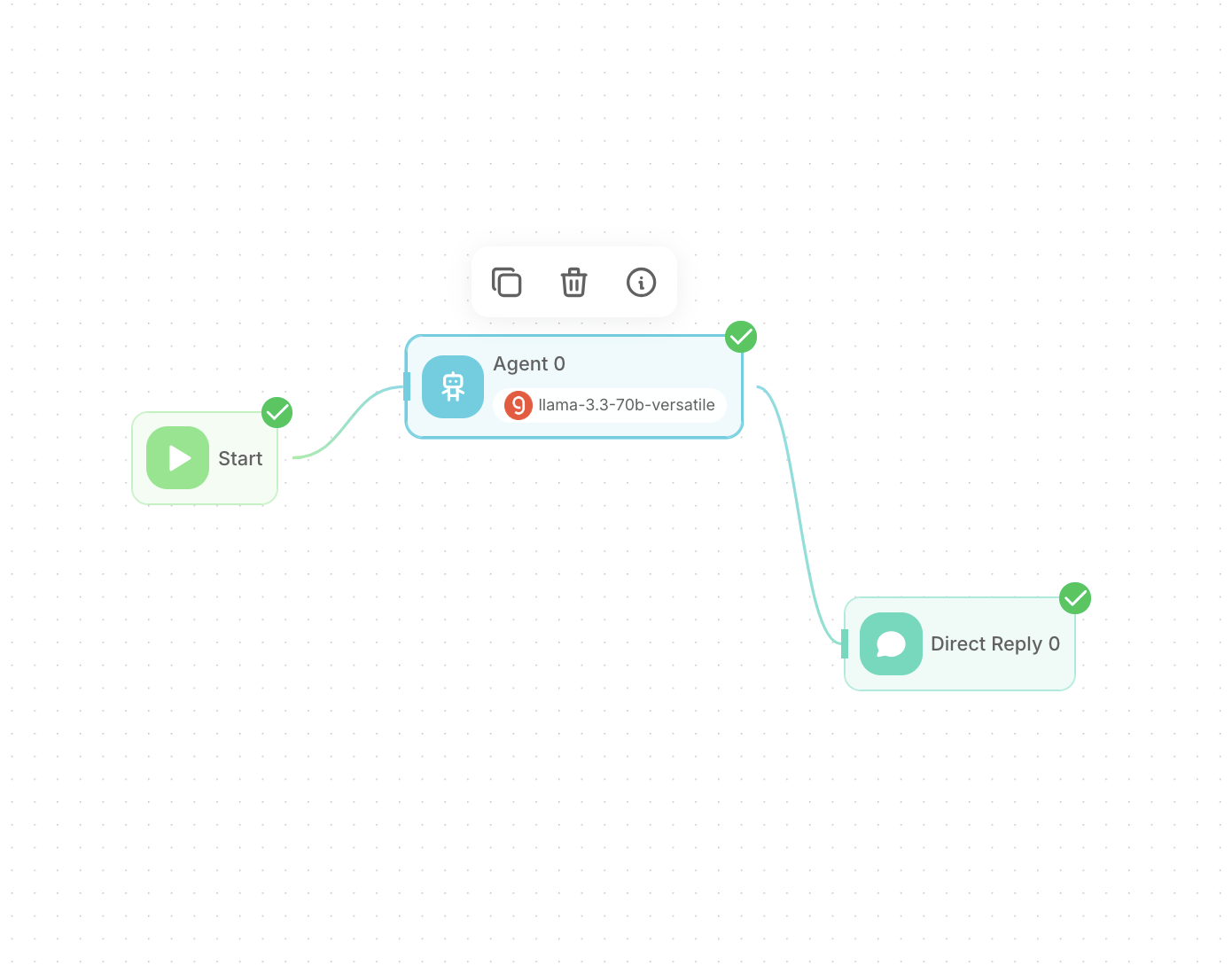
Start → Agent → Direct Reply
Once that works, add your other features back one by one.
Step 4: Check Your Model Configuration
Sometimes the issue is with your LLM model config. Make sure:
- Your API key is valid
- The model name is correct
- The model is actually available (some models go offline)
Try switching to a different model temporarily to test.
A Working Example
Here’s a simple configuration that works:
{
  "agentUserMessage": "{{ startAgentflow_0 }}",
  "agentMessages": [
    {
      "role": "system",
      "content": "You are a helpful assistant."
    }
  ],
  "agentEnableMemory": true,
  "agentMemoryType": "allMessages"
}
Other Things to Try
Clear the cache – Sometimes Flowise gets stuck with old configurations. Restart the server.
Check your connections – Make sure the lines between nodes are actually connected and not just visually touching.
Look at the logs – The full error message usually gives you more clues about what’s missing.
Start simple – Build the most basic flow first, then add complexity.
Why This Happens
Flowise is powerful, but it’s not always clear how data flows between nodes. The Agent node expects a specific message format, and if it doesn’t get it, it throws this error.
Think of it like this: the Agent is waiting for someone to hand it a note, but everyone’s just standing around not saying anything.
Prevention Tips
- Always set the
agentUserMessagewhen connecting a Start node to an Agent - Test your flow step by step – don’t build everything at once
- Keep your system messages simple at first
- Use the debug logs – they’re your friend
Final Thoughts
This error is frustrating because it’s not immediately obvious what’s wrong. But once you know to check the message flow between nodes, it’s usually a quick fix.
The key is understanding that Flowise nodes need to explicitly pass data to each other – they don’t just automatically know what to do.
Hope this saves you some debugging time. Happy flow building!
Have you run into other tricky Flowise errors? Drop a comment below and let’s help each other out.